Many languages, set for the screen
Keep every language in one file. Set the font, size, colour, and position for each panel, with outline, shadow, rotation, line and character spacing, and 4-corner correction when needed.

SuperTitles is web-based software that runs in Chrome. Prepare and manage your files online, then open the same file on the venue laptop to run the performance. If needed, connect it to sound and light systems over OSC and to compatible projectors over PJLink.
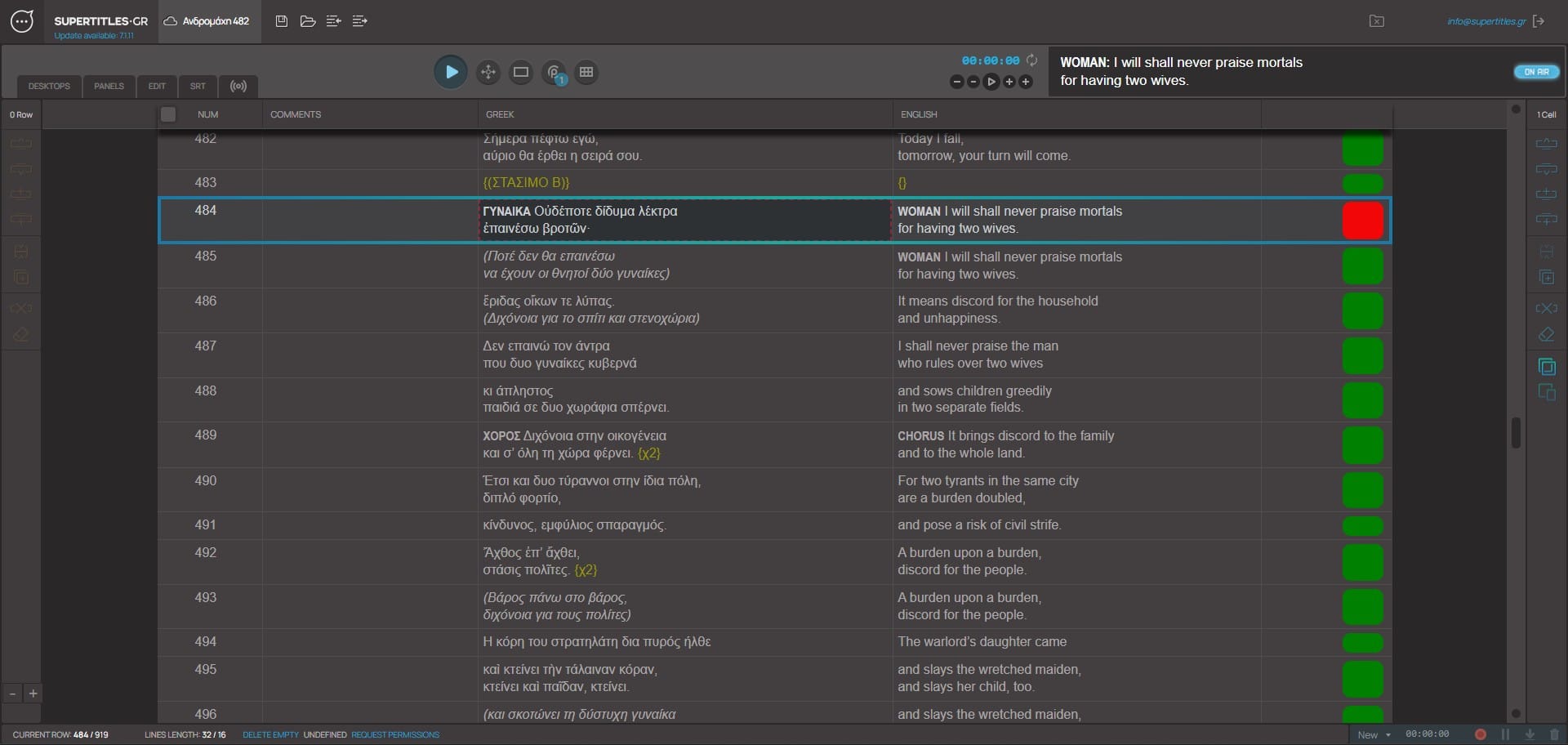
Each SuperTitles file holds the cues for the production, with one column for each language. The team prepares the text online: dividing it into cues, aligning the translations, and setting how each language will appear.
At the venue, the operator opens the same file in SuperTitles Live. During the performance, they follow the action and send each cue to the appropriate screens. One laptop can drive several outputs, each with its own languages and layout.
SuperTitles can run on its own or connect to the venue’s other systems through NDI, OSC, and PJLink. Audience members can also receive the live text on a phone or tablet.
The production stays in the platform with its files, performance calendar, and team assignments. If the hall has no internet connection, the performance can run from a local copy.
Keep every language in one file. Set the font, size, colour, and position for each panel, with outline, shadow, rotation, line and character spacing, and 4-corner correction when needed.
One fullscreen window per display. A projector, an LED, a second language on another output. The limit is the laptop, not the software.
Send each selected panel to a media server as its own NDI source, with transparency.
Use named cues to send OSC commands to QLab, Resolume Arena, and other compatible systems. They can also send GO commands to SuperTitles.
The same cues on the spectator’s phone or tablet, or on a screen in the house. No app.
Cue from a phone on the venue network. Show and hide a line while you are away from the laptop. The show stays on the laptop.
Open and close the shutter. Power the projector on and off.
Word, plain text, SRT, and text from another surtitle program.
Manage the calendar, team roles, operator assignments, and several files for each production. A side-by-side preparation editor with synchronised scrolling keeps languages aligned. The booth opens the same file the team prepared.
Use recorded timings for a film or timed scene, or jump to named cues during a live performance.
Record cue timings during rehearsal or performance, then export them as SRT.
Keep local videos with the file. Play one beside the cues and mark show and hide on the video’s clock. Start a new timecode, continue an existing one, or just play. A wrong pair comes off in one click.
This is how the software is priced. A slot is one production, and that production can run as many performances as it needs. Buying more slots costs less for each. No monthly fee.
It lives online and opens in Chrome, so the file is there when you need it. With no internet, open a local file, run the show, and sync later.
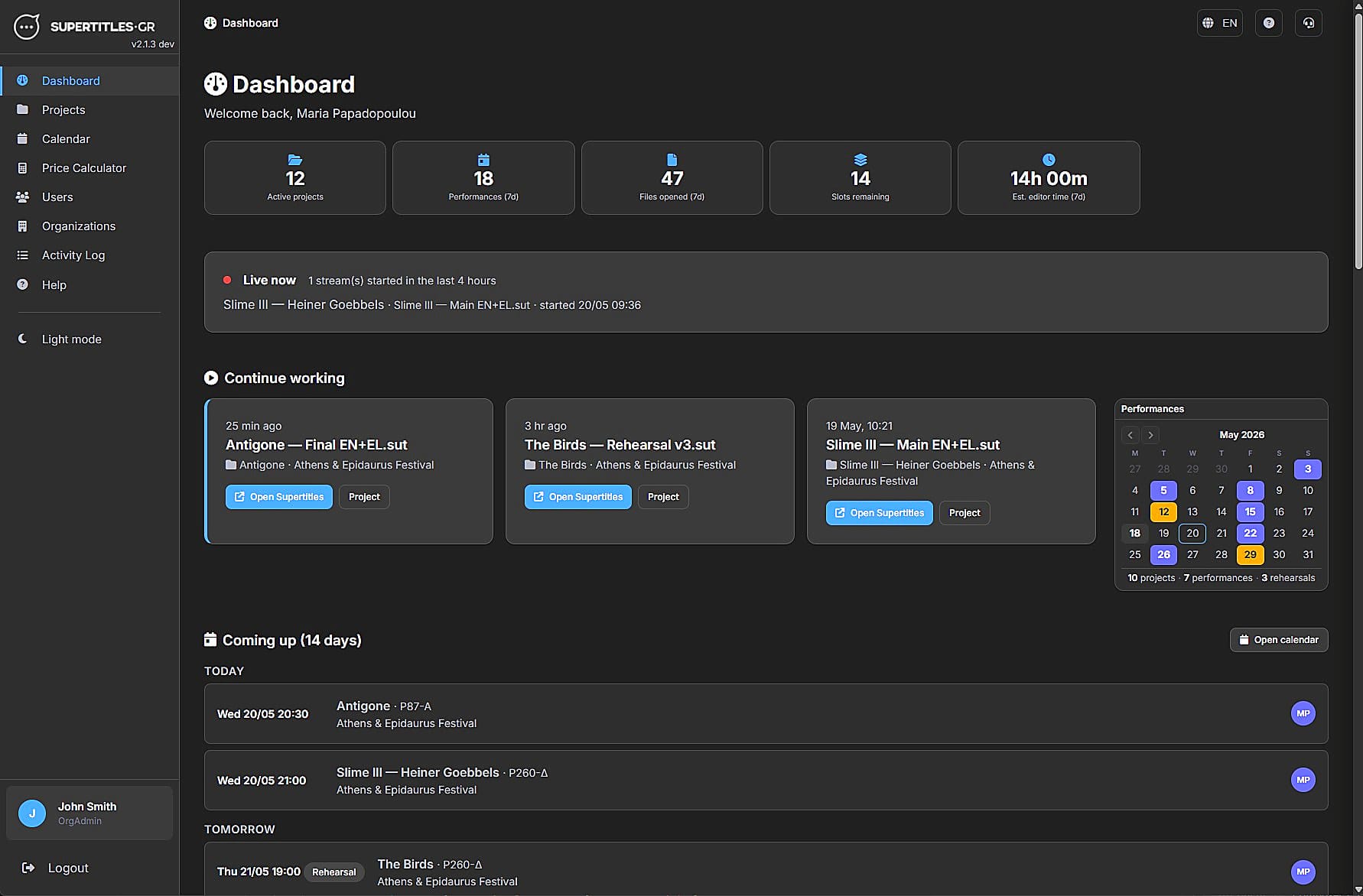
Organisations, files, calendar, and who is on which night. Open the editor from the project when it is time to cue.
Audience members can receive live surtitles on their own phone or tablet, with no app to install. Venue-specific display systems can also be discussed when needed.
For one desktop, a Windows laptop with 8 GB of RAM and a Core i3 or Ryzen 3 is enough. 16 GB is the better choice. The number of desktops is set by the CPU.
A Mac with 8 GB of RAM runs the same one desktop in Chrome. 16 GB is the better choice there too. For now, projector control, OSC, and NDI are not supported on a Mac.
© 2026 SuperTitles.gr